Override Job Constraints
A World's Mendel settings include specific constraint types, for example Attribute Match. Constraint types are absolute requirements and Mendel always creates a schedule which meets those requirements. For example, if you enable the Area Match constraint type, then Mendel cannot schedule a job to a resource that does not have the required matching area assigned to them.
You can, however, manually override job constraints when committing jobs in Optimise Schedule. For example, you might override an Area Match constraint when you commit a job even though a resource is not assigned to the appropriate area, because the job must get scheduled and completed.
You can also record a reason for constraint overrides. For more details refer to Constraint Override Reasons in the Administrator Guide.
-
In WebAdmin select Optimise Schedule.
The Worlds page appears.
-
Select a World.

The Optimise Schedule page appears.
-
Drag a job from the Job List or from within a resource's Diary, and schedule it to another time for the same resource or a different one.
If the job constraints cannot be met, the blue information window advises you - for example, Insufficient Skills for allocation.

The Commit Job window appears.
-
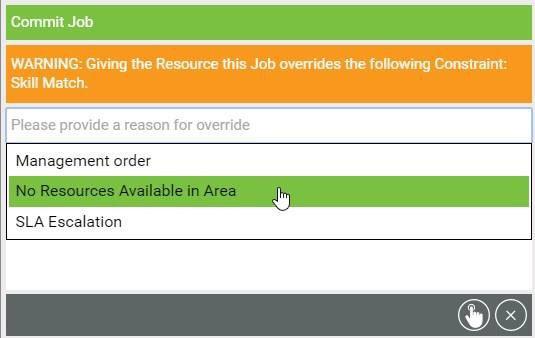
Select the Reason field, then select a constraint override reason from the dropdown.
-
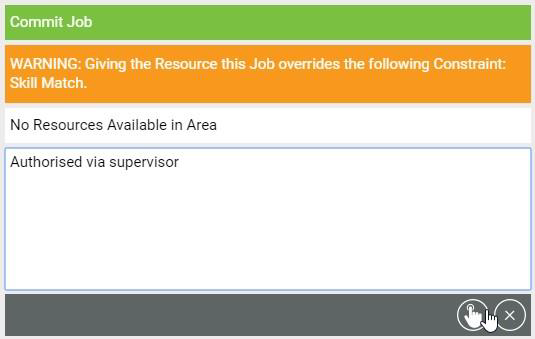
Select the Notes field, and enter any additional notes for the override.
-
Select Commit Job.
The job is committed, and the constraint override action is recorded in the job log.