Update Priority
You can define priority levels for each World. For more details refer to Priorities in the Administrator Guide.
To update the priority for a job:
-
In the Job Details dialog, select Update Priority
 .
. -
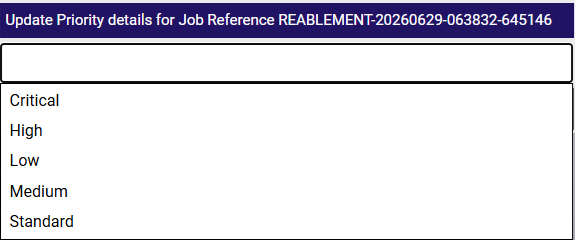
In the Update Priority details dialog, select the Priority field, then select the priority level from the dropdown.
-
Select Save Priority
 .
.
If the text window is left blank, the Priority field in the Job Details dialog will state No Priority Specified.
If the priority has a colour assigned to it, this colour overrides the default colour of the job card in the Diary and the job pin in Map view.