View Resource Details
-
In WebAdmin, select Optimise Schedule.
The Worlds page appears.
-
Select a World.
The Optimise Schedule page appears.
-
Select a Resource.
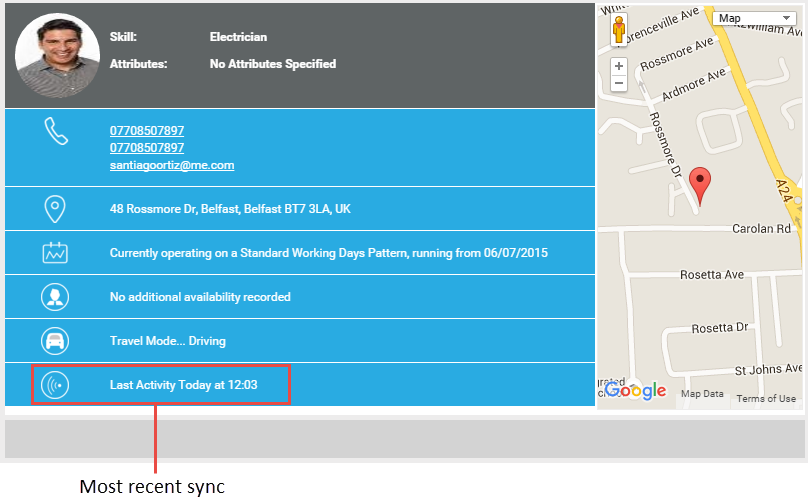
The Resource Details dialog appears.
-
To email the resource, hover your cursor over the email address and select it. Your primary email application opens.
-
To edit the resource's default start location:
-
Select Update default Start Location.
-
In the Update Start Location dialog, select the Address field and start typing to find the address. When you select an address, the map updates to display the location. Alternatively, you can use the map controls to zoom in and navigate directly to the required start location.
-
-
To view the resource's current roster hover your cursor over the roster details and select it. You are taken to Rosters. For more details, refer to Rosters in the Administrator Guide.
-
To edit the resource's travel range:
-
Select Update Range.
-
In the Update Range details dialog, enter a travel range in miles. The range limits the radius in which Mendel schedules jobs to resources.
-