Remove a resource
Use the Plan tab to remove any staff resource (employee) that is no longer required in a team.
-
Open the Plan tab and click
 to display the area dropdown list: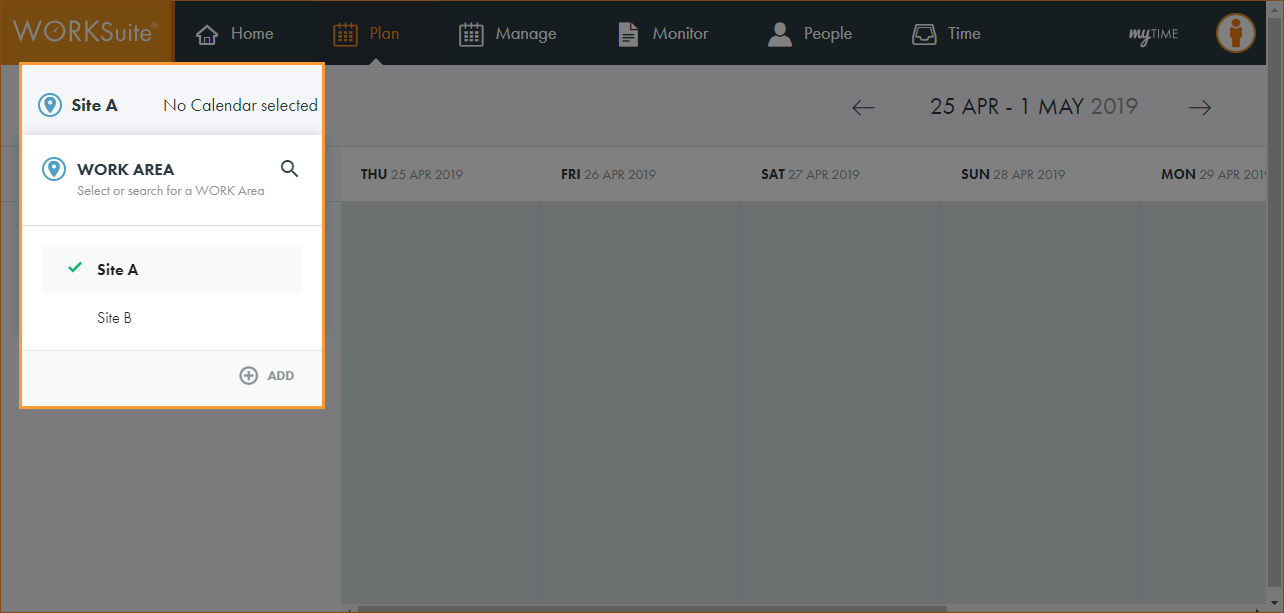
By default, your previously selected work area is preselected.
-
Click
 and start typing the name of the area you want to work with.
 -
The list of areas is filtered.
-
Click on an area in the list to select it.
-
The calendar search box is displayed:
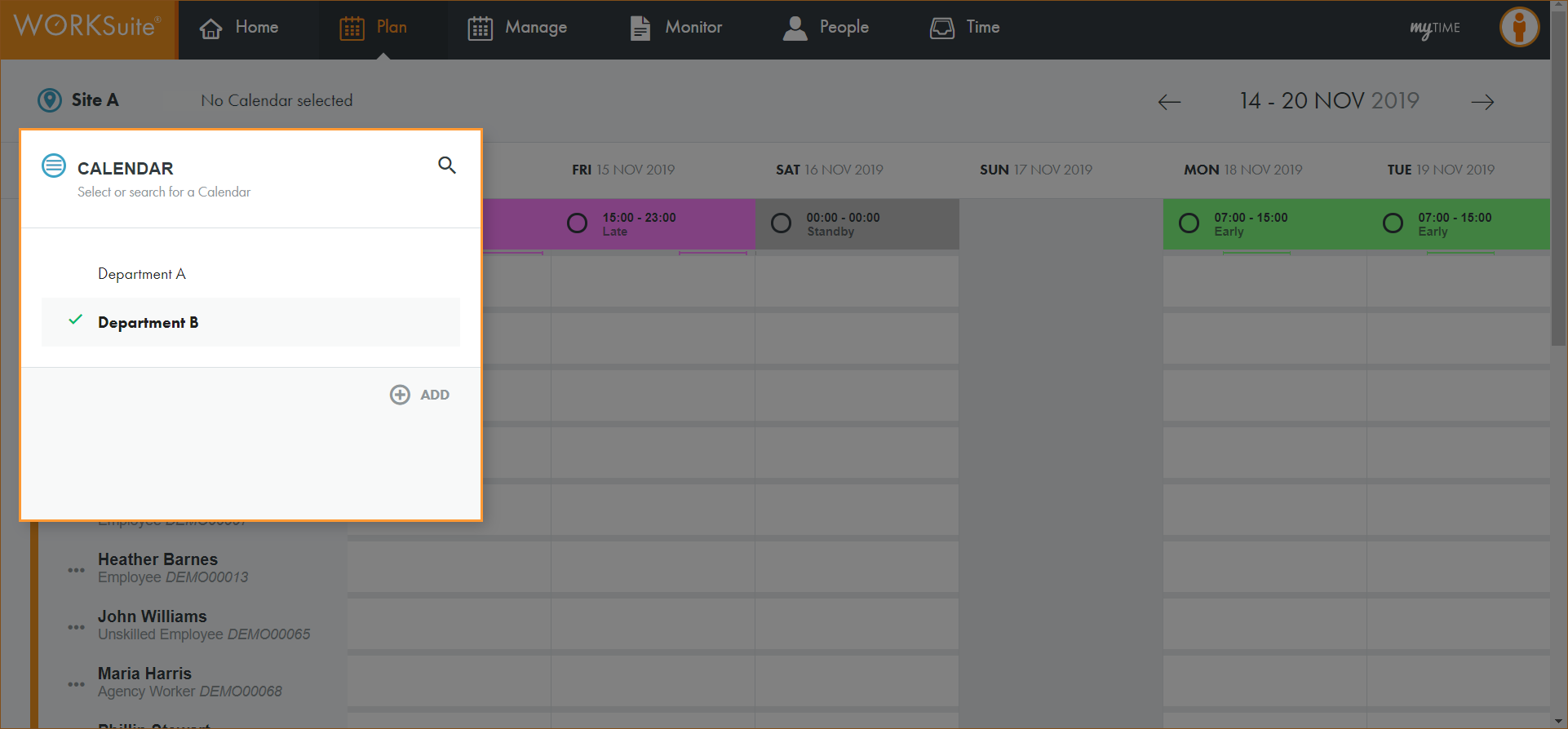
By default, your previously selected calendar is preselected.
-
Click
and start typing the name of the calendar you want to work with. -
The list of calendars is filtered.
-
Click on a calendar to select it.
-
All teams in the calendar are displayed.
-
Scroll to the team that you want to work with and click …:
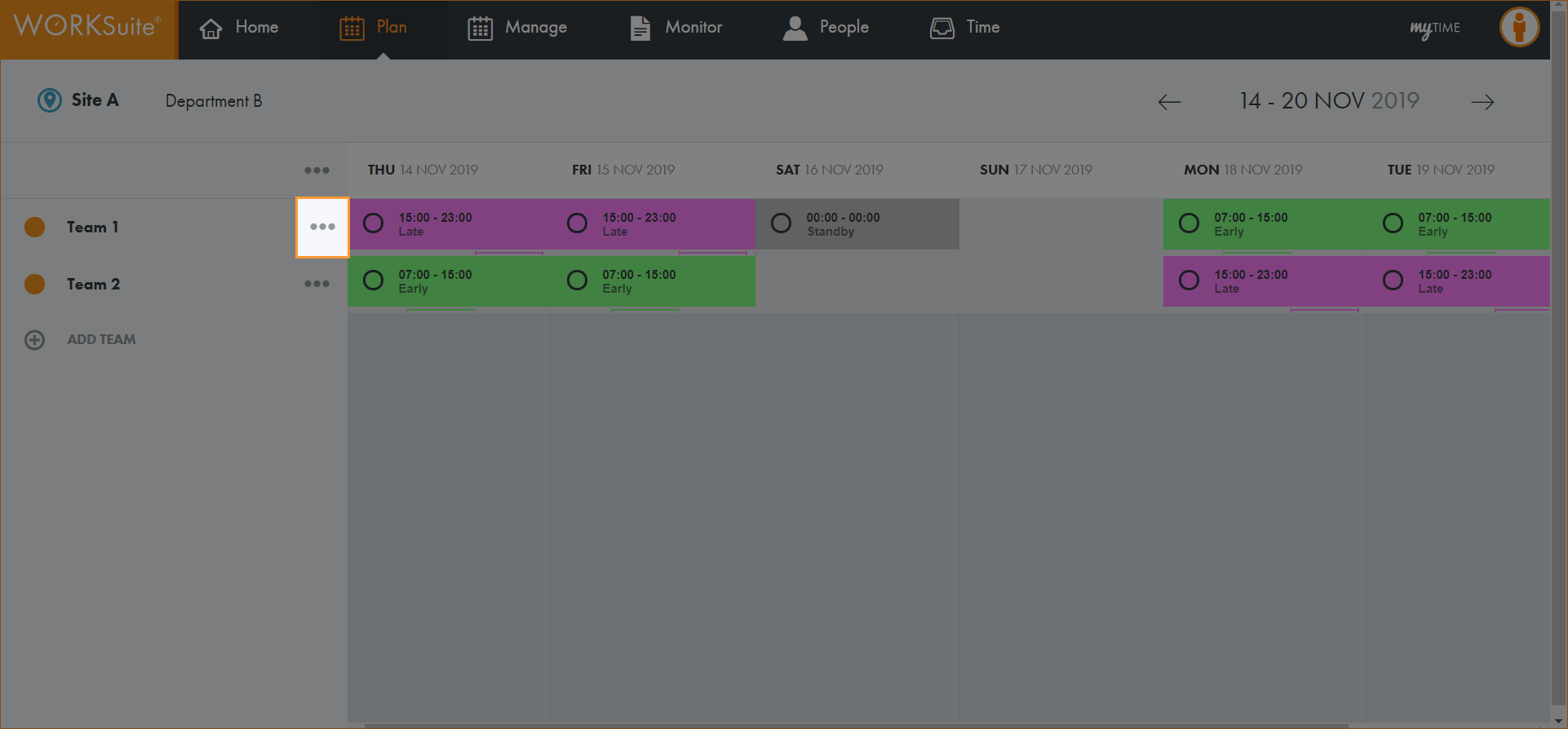
-
Click Show Resources:
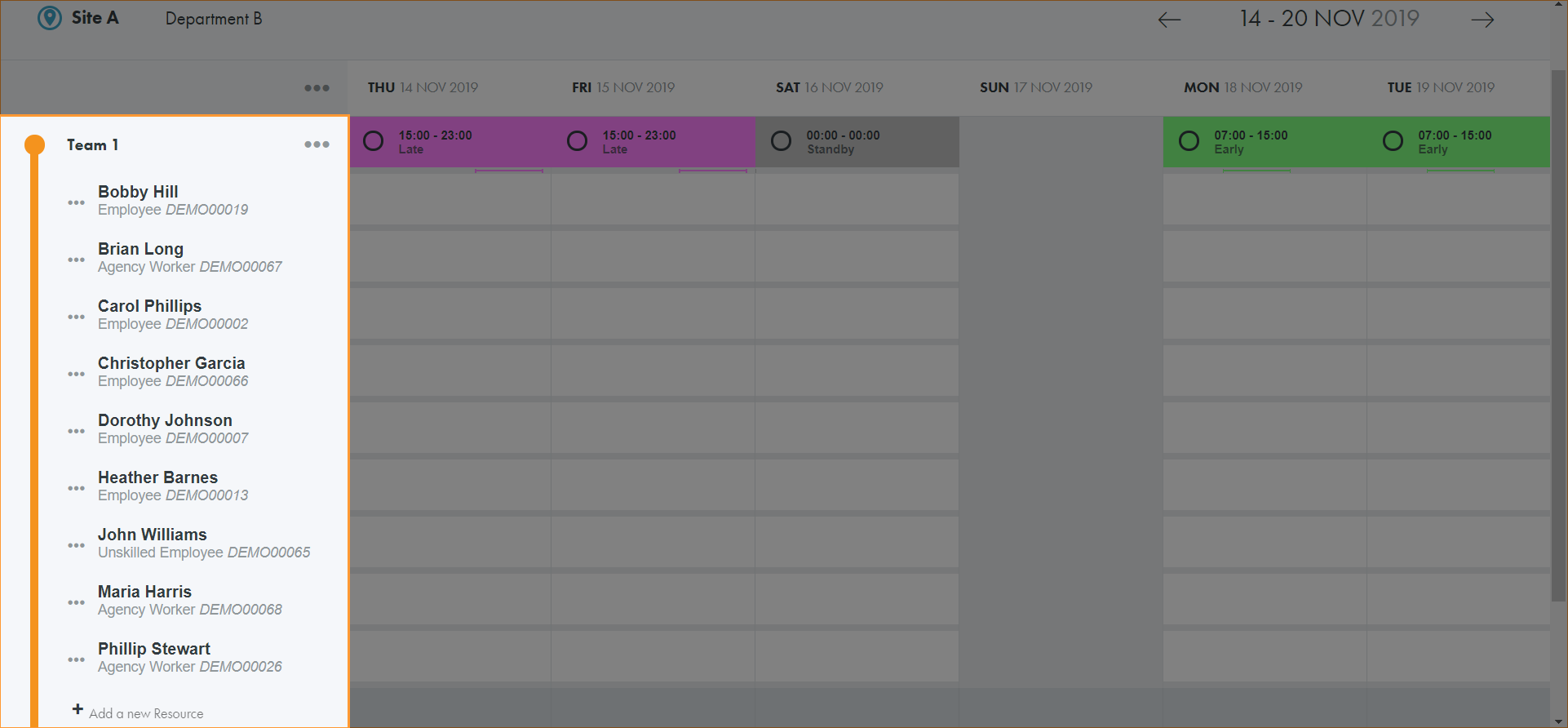
-
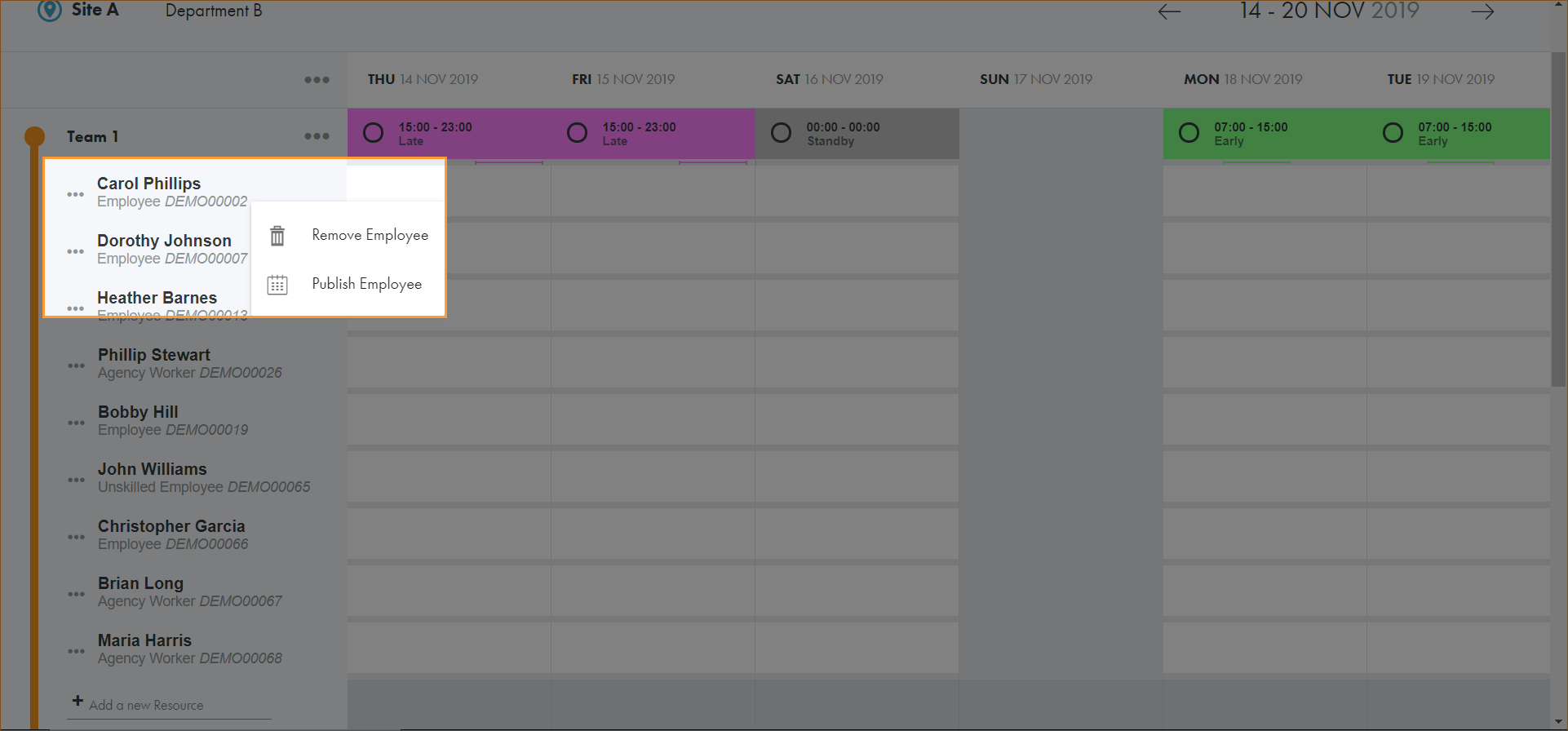
Click … in the resource that you want to delete.
-
Click Remove Employee:
-
The resource is removed.
If the calendar been previously published it will need to be published again to reflect the changes to the team.