System Data - Spatial Hierarchy
The System Data > Spatial Hierarchy tab lets you add and manage the items and codes for the different areas used within assets spatial hierarchy.
The following area sub-tabs are available within Spatial Hierarchy:
-
Site - shown by default when the Spatial Hierarchy tab is selected.
-
Property
-
Floor
-
Space
This functionality is available only for assets originating from portfolios using the TM ALM 1.0 data model.
You can assign these spatial hierarchy codes to the respective areas of an asset, for more information see Spatial Hierarchy.
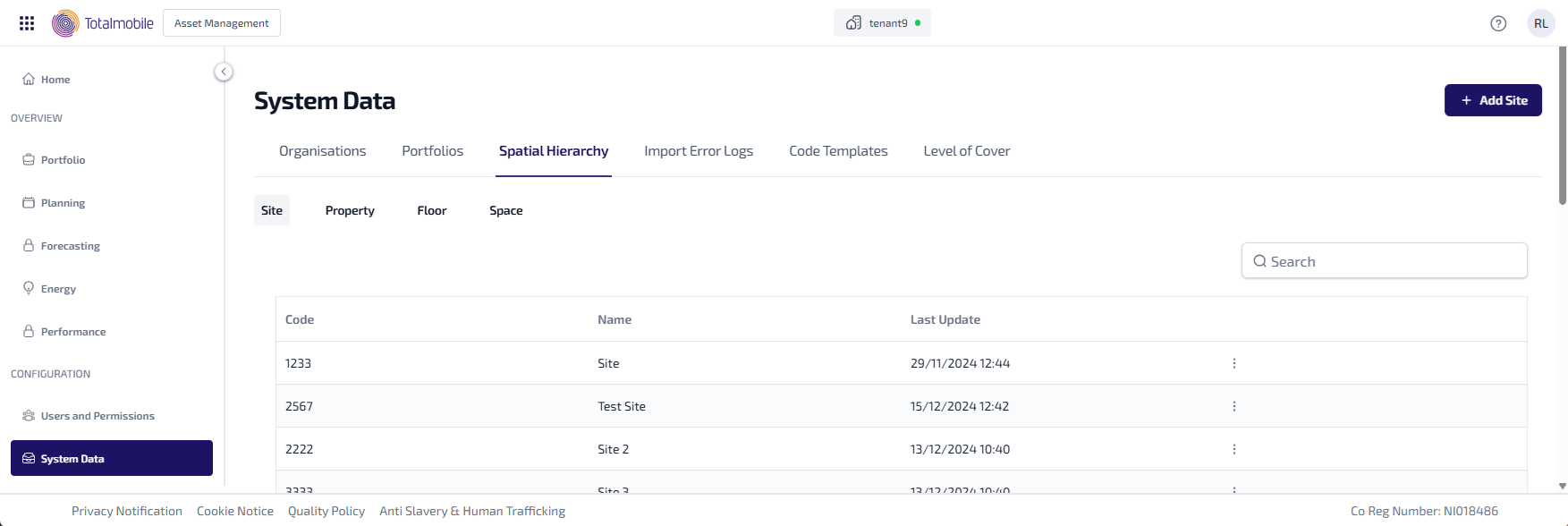
The following information is shown for each spatial hierarchy area sub-tab:
-
Code - the unique code given to the spatial hierarchy item.
-
Name - the name given to the spatial hierarchy item.
-
Last Updated - the date and time the spatial hierarchy item was last updated.
-
 - select for the following options:
-
Edit - select to edit the spatial hierarchy item details.
-
You can also do the following in Spatial Hierarchy:
-
Add Site/Property/Floor/Space - add a new spatial hierarchy item.
-
Edit Site/Property/Floor/Space - edit an existing spatial hierarchy item.
-
Search* - enter the full, or partial, Code or Name into the Search field and press Enter on the keyboard to display all matching results in Spatial Hierarchy.
*The Search field is a ‘begins with’ search, therefore ensure the text entered is always the beginning word/s of what you are searching for.
Add Spatial Hierarchy Item
To add a new spatial hierarchy item:
-
Select System Data.
-
Select the Spatial Hierarchy tab.
-
Select the required area sub-tab, either Site, Property, Floor,or Space.
-
Select Add Site/Add Property/Add Floor/Add Space.
-
The Add New Spatial Hierarchy Item dialog appears.
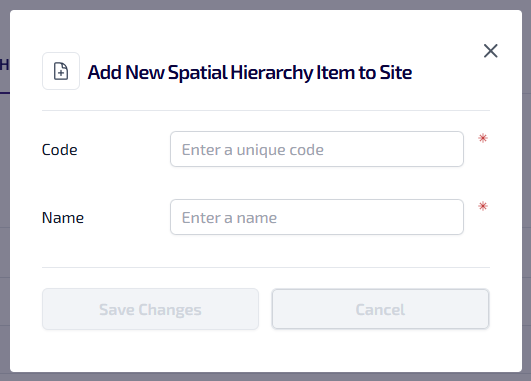
Enter the following information:
-
Enter the Code*. The code entered must be unique, can be alphanumeric, contain symbols and have a maximum 64 character limit.
-
Enter the Name*.
-
*These are required fields.
-
Select Save Changes.
The Code must be unique within the spatial hierarchy area, but can be duplicated across the other spatial hierarchy areas.
Edit Spatial Hierarchy Item
To edit a spatial hierarchy item:
-
Select System Data.
-
Select the Spatial Hierarchy tab.
-
Select the required area sub-tab, either Site, Property, Floor,or Space, for the spatial hierarchy item you want to edit, select the
to open the context menu. -
From the context menu select Edit.
-
The Edit Site/Property/Floor/Space dialog appears.
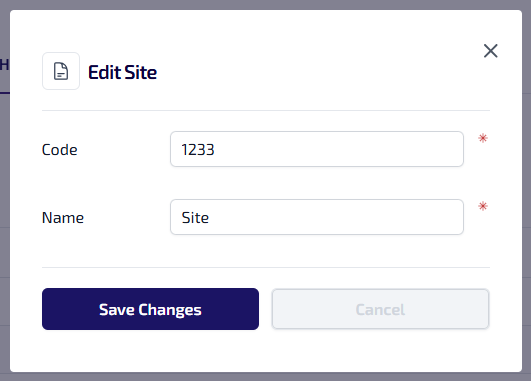
Update the following details as required:
-
Code
-
Name
-
-
Select Save Changes.