Scheduling Introduction
Optimise Schedule is an application that enables your organisation to optimise the workload of your staff (resources). The Mendel engine that runs alongside Optimise Schedule plays an integral role in this, by using genetic algorithms to quickly evolve solutions to scheduling problems whilst also applying the restrictions you require and instruct through Optimise Schedule. Your scheduling administrator can interact with Optimise Schedule to perform a variety of tasks such as:
-
checking travel routes
-
recording unavailability, for example due to sickness
-
ensuring certain jobs are allocated to certain resources at designated times
-
filtering the Diary to display what is most useful or required
This guide provides instructions for using the different aspects and functionality of Optimise Schedule. The following user guides are also useful in understanding Optimise Schedule and Dynamic Scheduling as a whole:
-
Administrator Guide
-
Mendel User Guide
-
Dashboard User Guide
This guide assumes you are using Mendel, whether continually or at your scheduling administrator’s discretion to stop and start it. Scheduling work without using Mendel is different to what is shown in this user guide. For details on scheduling jobs without using Mendel, refer to Manually Scheduling Jobs.
Access to Optimise Schedule and different Worlds require the relevant permissions. For more details refer to Permissions in the Administrator Guide.
Getting Started
In WebAdmin, select Optimise Schedule and then select a World to display the Optimise Schedule page.
For more details on Worlds, refer to Worlds in the Administrator Guide.
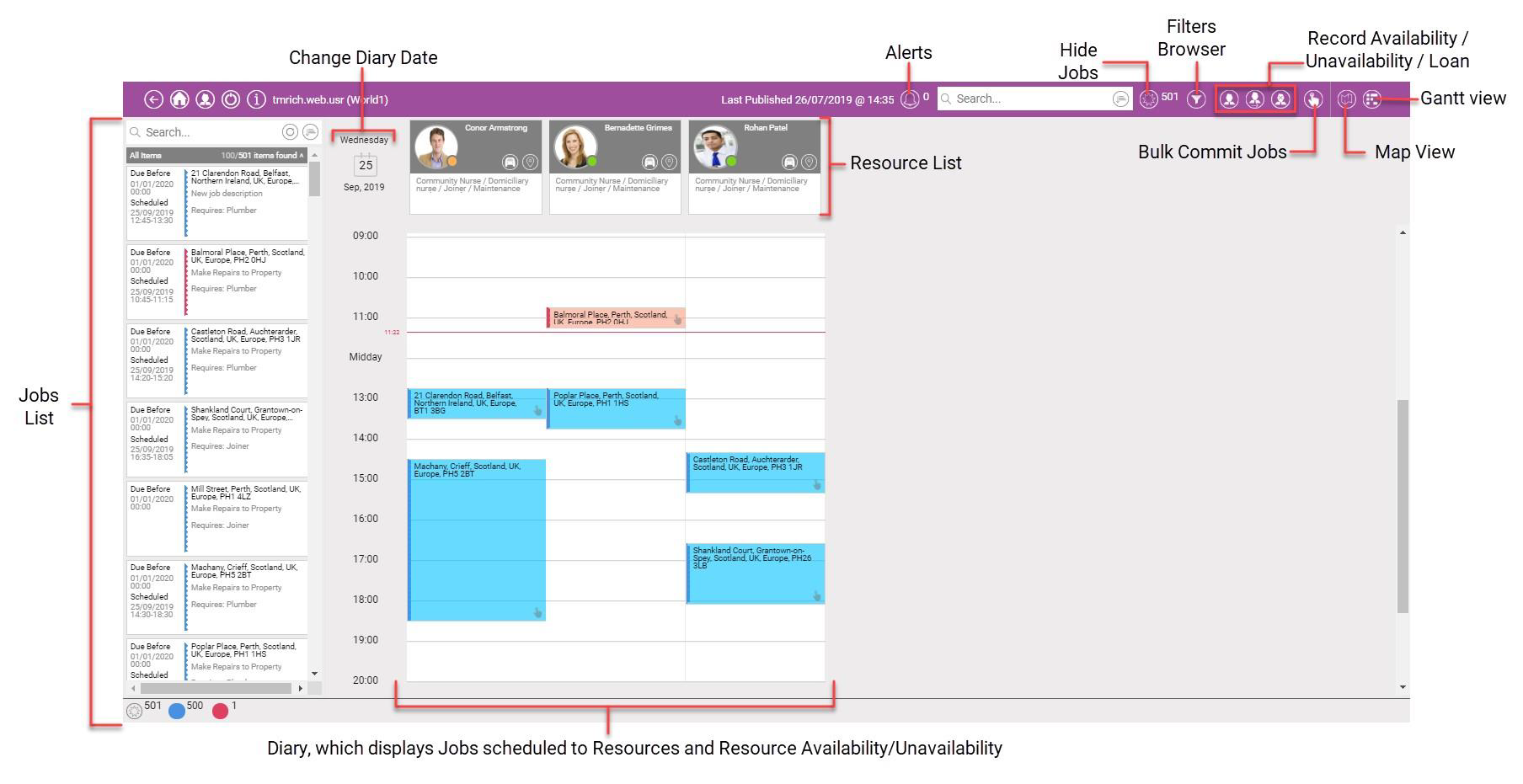
When the Optimise Schedule page appears, you see the Job List, Resource List, Diary and toolbar section.