Pin Multiple Jobs from the Job List
You can select multiple jobs in the Job List and pin them to a date, a time or a resource if the Multi-select option is enabled in Optimise Schedule Settings for the World.
To pin multiple jobs:
-
In WebAdmin select Optimise Schedule.
The Worlds page appears.
-
Select a World.

The Optimise Schedule page appears.
-
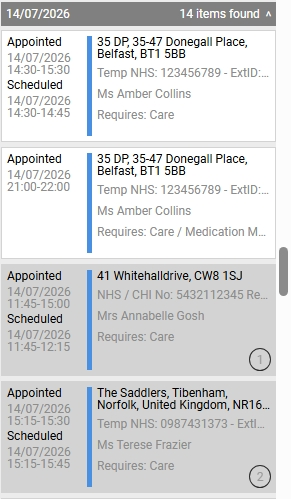
In the Job List, hold down the CTRL key, then select the individual jobs you want to pin.
The jobs are highlighted and numbered in the order they were selected.
-
Drag the jobs to one of the following locations:
-
The calendar date. For more details refer to Pin Jobs to a Date.
-
A morning or afternoon on the selected calendar date. For more details refer to Pin Jobs to a Date and the Morning or Afternoon.
-
A resource. For more details refer to Pin Jobs to a Resource.
-
A resource and date. For more details refer to Pin Jobs to a Date and Resource.
-