Portfolio
Portfolios provide a way of grouping assets on a large scale and are allocated to an organisation, with the ability to assign multiple portfolios to the same organisation, so for example an organisation with multiple contracts could have a portfolio for each contract.
In the Navigation menu > Overview section select Portfolio.
The Your Portfolio page displays with the Overview tab selected by default, letting you see a selection of metrics based on the data from the assets in your Asset Register.
This is currently a preview of what the screen will look like, and is for demonstration purposes.
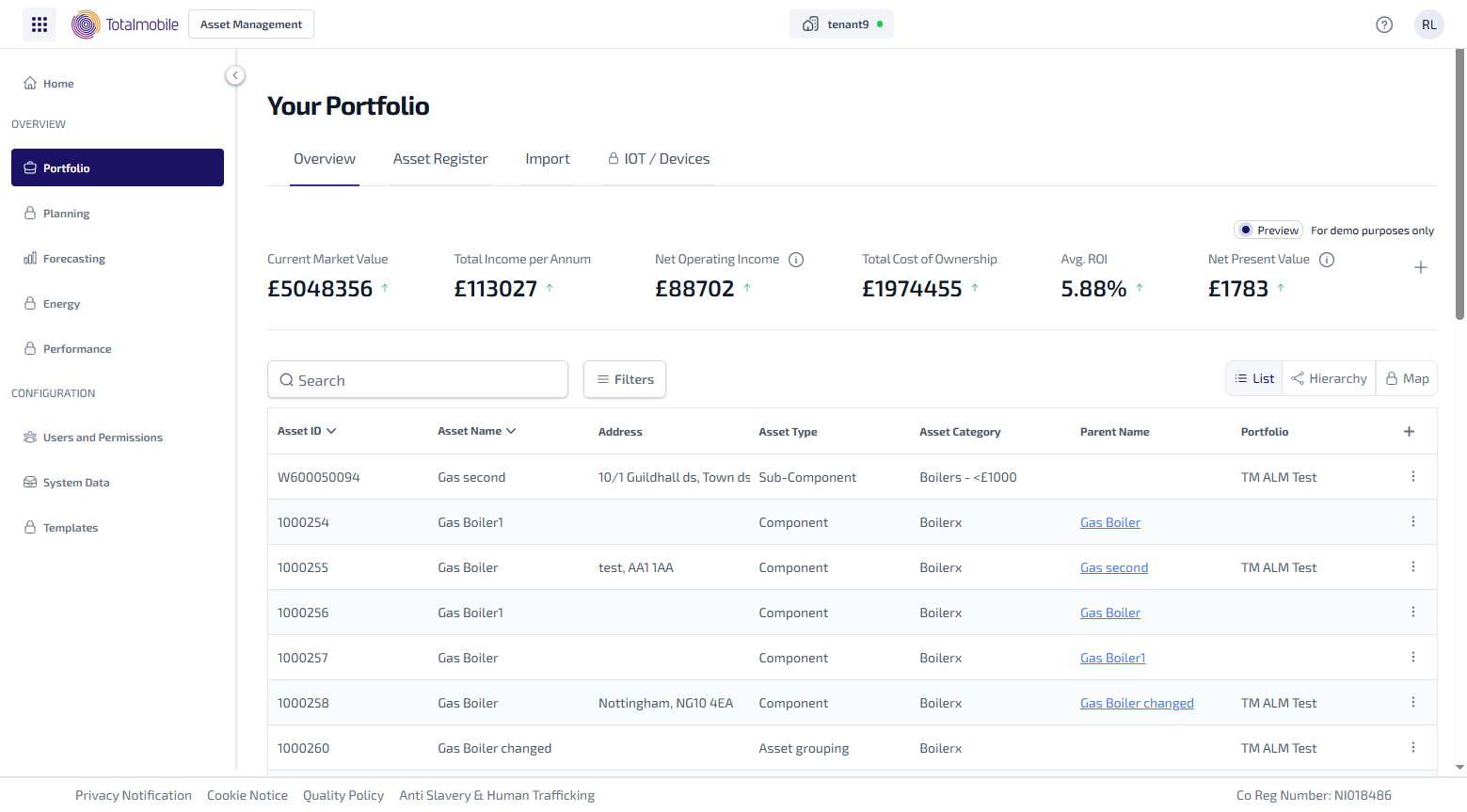
The Portfolio page contains the following tabs:
-
Overview
-
Asset Register
-
Import
-
IOT / Devices - not yet available